Free your time
Maintain the standard
Lower labor costs
For restaurants, cafés, bars, hotels, and more
Opscale keeps your daily routines on track, so every shift runs exactly the way it should.
14 days free
Everything you need to run operations efficiently
One platform for checklists, procedures, and team coordination
Automatic time-based checklists
Your checklists follow your schedule. Change your hours and every task updates itself across all devices.
Standard operating procedures
Step-by-step guides attached directly to tasks, so your team always has the right instructions.
AI-powered setup
Upload your existing checklists as PDF or photo, and AI converts them into tasks, sequences, and SOPs automatically. Go from paper to digital in minutes.
Multi-step sequences
Group tasks into workflows that run in order. Track progress across opening, closing, and service routines.
Real-time OpsCenter
A dedicated dashboard for frontline staff. Tasks appear when due, complete with one tap, and sync instantly.
Built-in AI assistant
Ask questions, get suggestions, and solve problems with an AI assistant that knows your location, schedule, and industry.
Team management & permissions
Control who sees what, and track every completed task with full accountability.
Multi-location support
Manage all locations from one account. Standardize routines across sites or customize each one independently.
Simple to set up. Easy to learn.
A guided setup wizard with AI-assisted onboarding gets your team up to speed.
Upload or start from templates
Upload your existing paper checklists or choose from 180+ industry templates. Either way, you are up and running in minutes.
Build your routines
Create recurring tasks, sequences, and SOPs. Schedule them once and they repeat automatically based on your opening hours.
Your team is guided
Invite your team, and they get a guided walkthrough. The OpsCenter shows each employee exactly what to do and when.
Everything your employees need, in one place
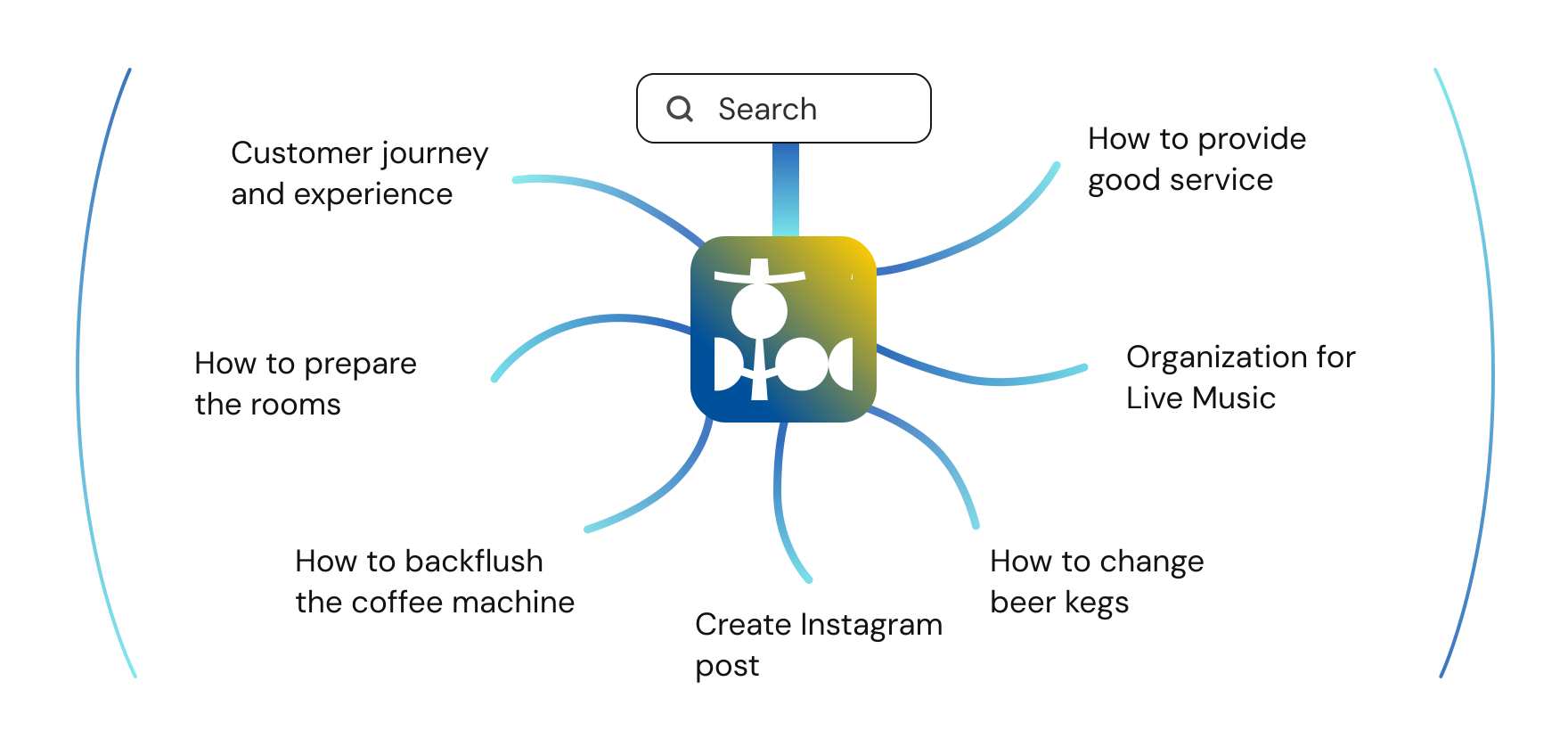
Built for the hospitality industry
Industry-specific templates and workflows designed for your type of business
180+ pre-built templates including checklists based on industry best practices, opening and closing routines, cleaning procedures, and more.
Frequently asked questions
What is Opscale and how does it work?
Opscale is an operations management platform built for restaurants, cafés, bars, and hotels. It combines time-based checklists, standard operating procedures (SOPs), and team management in one system. Managers create daily routines like opening, mid-service, and closing checklists that automatically appear on employees' screens at the right time. Tasks sync in real time across all devices, so the entire team stays aligned without constant reminders.
How do time-based checklists work?
You create tasks and schedule them relative to your opening or closing time, or at a fixed time of day. Opscale automatically generates the day's checklist and shows each task to your team when it is due. If your opening hours change for weekends or seasons, all relative tasks adjust automatically. Completed tasks update in real time across every device, giving managers full visibility without being on the floor.
How quickly can we get started?
The setup wizard guides you through industry selection, opening hours, and template selection to get the basics ready in minutes. You can also upload your existing paper checklists as PDF or photo, and AI will automatically extract tasks, routines, and SOPs, so you can go from paper to digital in a single session.
Do employees need to download an app?
No. Opscale runs entirely in the browser on any device, phones, tablets, and computers. Your team can start using it immediately without downloading anything from an app store. You can also add Opscale to your home screen for a native app-like experience.
What are SOPs and why do they matter?
SOPs (Standard Operating Procedures) are step-by-step guides that document how tasks should be done. In Opscale, you create SOPs with formatted text and images for anything from recipes and cleaning procedures to equipment instructions and service standards. Employees access them directly from their checklist, which reduces training time for new hires and ensures consistent execution across every shift.
Do I need to train my staff to use Opscale?
Opscale is simple enough that employees need very little training to get started. When you invite a team member, they receive a quick interactive onboarding that walks them through everything they need to know. Just send the invite and your new team member will be ready to go when they join.
Can I manage multiple locations?
Yes. Opscale makes it easy to manage multiple locations from a single account. Each location gets its own opening hours, areas, checklists, and team members with permissions, so you can standardize routines across all sites or customize each one independently. The Starter plan includes 1 location, Professional includes 2, Business includes 5, and Enterprise supports unlimited locations.
How much does Opscale cost?
Opscale offers four plans: Starter, Professional, Business, and Enterprise. Each has a flat monthly price. All plans include a 14-day free trial. Plans differ by the number of locations and staff members included. Visit our pricing page for current rates.
What types of businesses use Opscale?
Opscale is designed for hospitality and service businesses including restaurants, cafés, bars, hotels, bakeries, nightclubs, and retail stores. Whether you run a single café or a chain of restaurants, the platform adapts to your industry with dedicated templates, flexible scheduling, and role-based permissions that scale with your team.
Do checklists adjust automatically to our schedule?
Yes. Tasks in Opscale can be scheduled relative to your opening or closing time, which means they adapt automatically when your hours differ between days or change for a new season. If you open at 8 AM on weekdays and 10 AM on weekends, your opening routine shifts accordingly without any manual updates. You can also set special hours for holidays or events without affecting your regular weekly schedule.
Can Opscale replace our paper checklists?
Yes. Opscale replaces paper checklists with digital, time-based task lists that generate automatically every day. Tasks appear on your team's devices at the scheduled time, and completion status syncs across all devices in real time. Every completion is recorded with user and timestamp.
What makes Opscale different from general task management tools?
Opscale is designed specifically for hospitality operations, not adapted from generic project management. Key differences include scheduling relative to opening hours, multi-step sequences for complex routines, a dedicated OpsCenter for frontline staff, industry-specific templates, AI-powered setup and ongoing AI assistance, and real-time synchronization across all devices. These features address the unique demands of shift-based, time-sensitive operations that general task tools are not built for.
Can I import my existing paper checklists?
Yes. During setup, you can upload your current checklists as PDF files or photos. AI analyzes them and automatically creates tasks, sequences, and areas in Opscale. You can review and adjust everything before finalizing, so nothing gets lost in the transition. You can also upload multiple documents at once.
What can the AI assistant do?
The built-in AI assistant is available from the manager dashboard. It understands your location, schedule, industry, and language, so you can ask it questions about your operations, get suggestions for improving routines, troubleshoot scheduling issues, or get help setting up new tasks and SOPs. It supports file uploads too, so you can share documents for analysis. Each subscription tier includes a monthly message allowance.